What is DNS?
DNS (Domain Name System) is the internet's phonebook: it translates names like example.com into the IP addresses computers use to find each other.

DNS
Every device on the internet is reached through an IP address, such as 203.0.113.10 (an address reserved for examples). Humans are bad at remembering numbers, so the internet runs a lookup service that turns a name into that number: DNS (Domain Name System). You type example.com, DNS finds the address, and only then can your browser connect.
DNS is not one phonebook. It is millions of servers worldwide, each responsible for its own part of the names, and every answer is kept for a set time so the same question is not asked again and again. That is why a lookup usually takes milliseconds.
What a DNS lookup actually sends
The small DNS client built into your device, the stub resolver, asks one question: “What is the address for this name?” It sends it to a recursive resolver, usually run by your internet provider or a public DNS service. The answer comes back as records: an A record holds an IPv4 address, AAAA an IPv6 address, CNAME an alias pointing to another name, MX the mail servers of the domain, TXT free text used for email security and domain verification, and NS the name servers responsible for the domain.
Classic DNS travels in plain text over UDP port 53. Anyone on your network path, such as the Wi-Fi operator or your provider, can see which names you look up, even when the page itself is protected by HTTPS. Attackers care too: cache poisoning tricks a resolver into storing a false answer, lookalike names such as examp1e.com carry phishing, and DNS tunneling hides data inside queries because many networks let DNS out without inspection.
How a lookup works, step by step
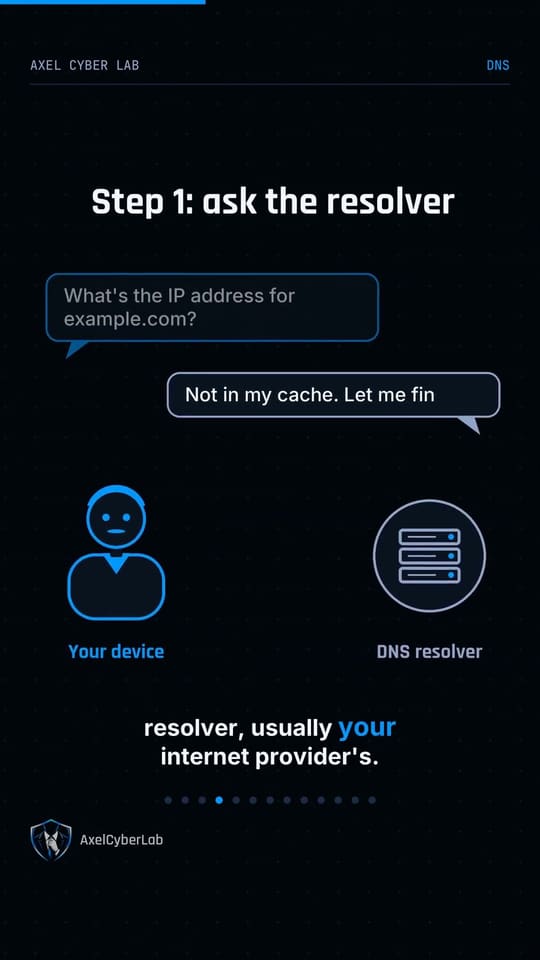
- Ask the resolver. Your device sends the name to its recursive resolver. If the resolver already knows the answer from its cache, it replies immediately.
- Root and top-level servers. If not, the resolver asks a root server, which does not know the answer but knows who is responsible for
.comor.ch. Those TLD servers point to the servers of example.com. - The authoritative answer. The domain’s authoritative server, the one the domain owner controls, returns the IP address. DNSSEC adds signatures so the resolver can check that the answer is genuine.
- Cache and connect. The resolver keeps the answer for the TTL (time to live) in seconds, sends it to your device, and your browser connects to that address.
The TTL is why DNS is fast, and also why a DNS change can take a while to reach everyone.
DNS is not made private by HTTPS
HTTPS encrypts the content of the page, not the lookup that came before it. Encrypted DNS closes that gap: DNS over HTTPS uses port 443 and DNS over TLS uses port 853, and both hide your lookups from the local network. Most modern browsers and operating systems support at least one of them. The resolver you choose still sees every name, so a VPN or encrypted DNS moves your trust rather than removing it.
What to do
- Turn on encrypted DNS (DNS over HTTPS or DNS over TLS) in your browser or operating system, and pick a resolver you trust.
- Change the default password of your home router: a tampered router can hand out a malicious resolver, and a correct-looking address then leads to a fake site.
- Read names carefully before you log in, because
examp1e.comis notexample.com. - See it yourself: run
nslookup example.com. The “Server” line is your resolver, and the “Address” lines are what DNS found.
Watch it in 60 seconds